




Videohub 120x120 12G - Blackmagic
Routers > HD SDI 3G 6G 12G
EAN:9338716008739
€ 11.249,00 + VAT
€ 13.723,78 VAT Included
Adcom - Blackmagic
New
Available in 15 days
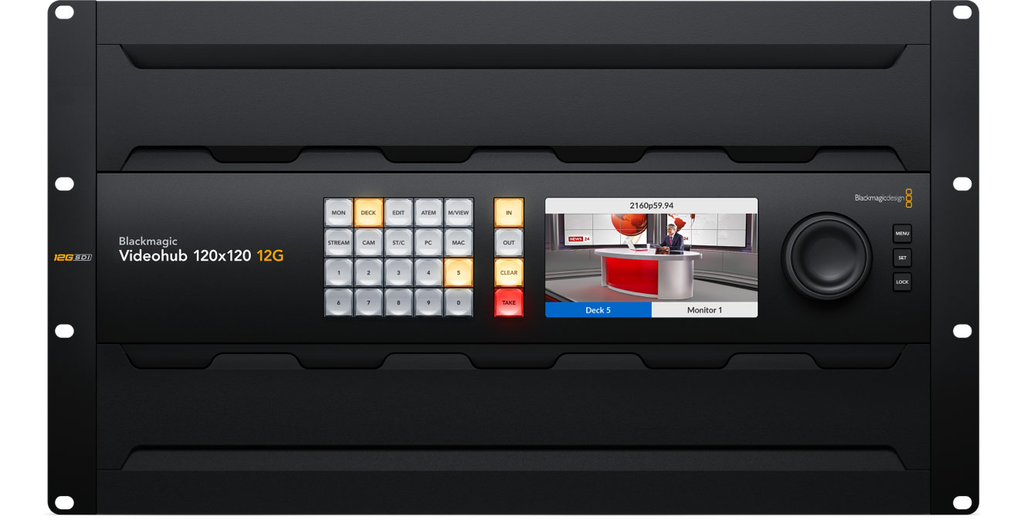
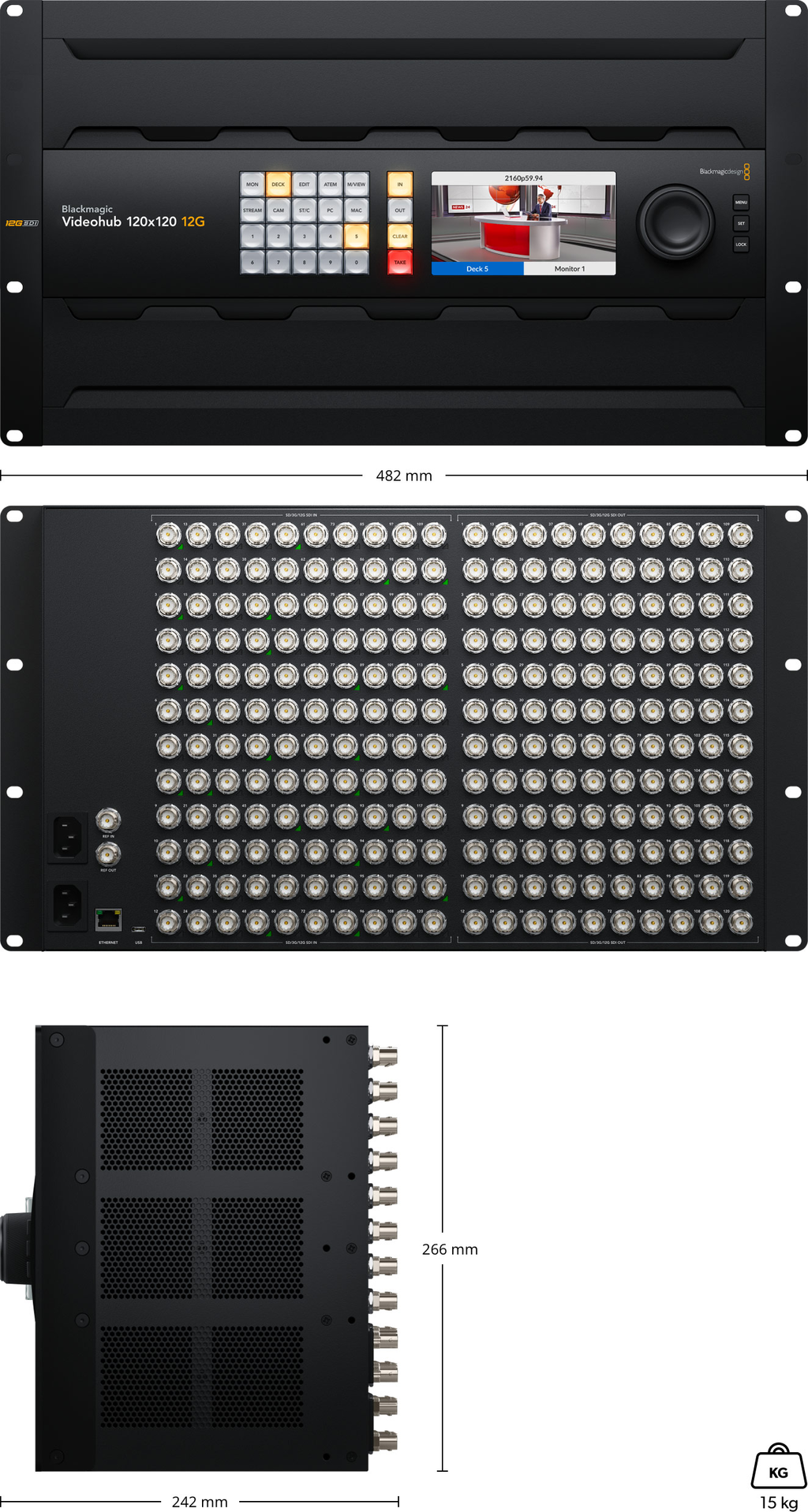
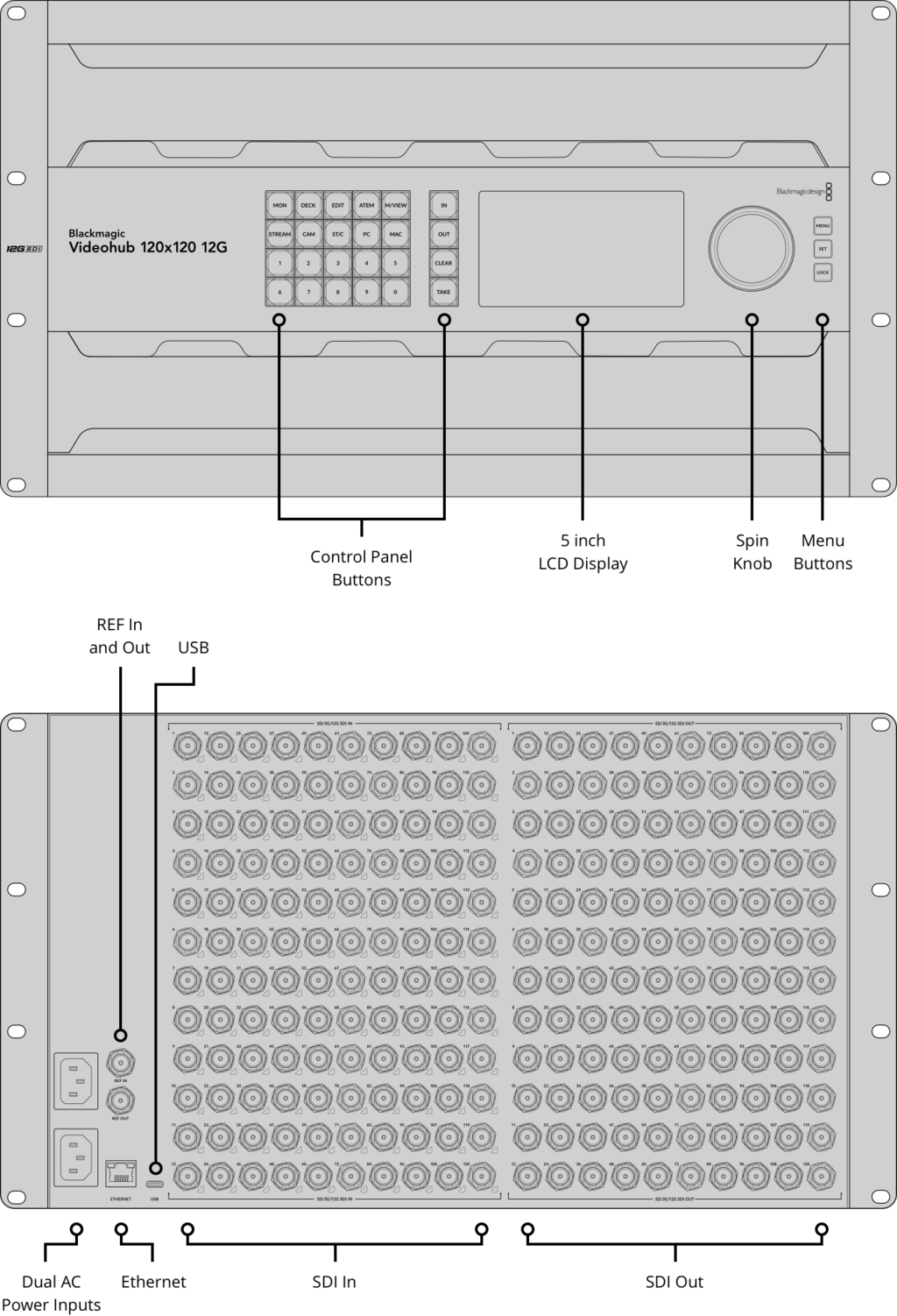
The largest 120x120 model features zero latency, 12G-SDI, full SDI re-clocking, plus any combination of SD, HD and Ultra HD.
You also get a built in control panel and external control via Ethernet.
The new Blackmagic Videohub 12G-SDI video routers let you connect all your equipment without creating a complex cable mess!
Blackmagic Videohub routers support 12G-SDI so they allow you to connect and route any combination of SD, HD and Ultra HD on the same router at the same time.
Plus they have zero latency so are perfect for live production and broadcast!
The design features an elegant front panel with LCD for labels and even live video, shortcut buttons and a machined metal spin knob with soft rubber coating that lets you browse video sources.
Ethernet is also included so you can remotely control the router using a range of external hardware or software control panels.
° Advanced 12G-SDI for SD, HD and Ultra HD Routing
All models of Blackmagic Videohub 12G feature advanced 12G-SDI connections which are multi rate so they support any SD, HD and Ultra HD video format up to 2160p60 and will connect to any SD, HD-SDI, 3G-SDI, 6G-SDI and 12G-SDI equipment.
Plus Blackmagic Videohub 12G also supports routing any video standard on the same router at the same time.
That means on the 120x120 model you could route up to 120 different video signals to 120 outputs at the same time!
12G-SDI gives you high frame rate Ultra HD via a single BNC connection that also plugs into all of your regular HD equipment! With 12G-SDI you get a future proof technology that connects to the equipment you have now and in the future!
° Features Full SDI Re-Clocking
Videohub includes built in SDI re-clocking on every 12G-SDI input.
SDI re-clocking regenerates the video signal for maximum video quality.
This is extremely important because longer video cables degrade the signal.
Expensive premium "digital" cables can help a little, but still cannot eliminate signal integrity loss due to cable lengths getting longer.
With SDI re-clocking all of the SDI devices in your studio receive a regenerated signal with improved jitter performance.
° Add External Hardware Control Panels
All Blackmagic Videohub routers can be remotely controlled, which is vital in large broadcast studios where the equipment connected to the router is located in different areas of the building.
The Videohub Master Control Pro is similar to the front panel and has a spin knob, LCD and shortcut buttons.
While the Videohub Smart Control Pro model features all buttons and is generally programmed so the panel controls a single router output with each button programmed to a router input.
Then you can just cut along the panel buttons to change the router output instantly.
° Get Router Control on Mac, Windows and iPad
If you need external router control that's affordable, then Videohub Software Control is perfect because it can be downloaded free! Videohub Software Control is available for both Mac and Windows, so you can run it on the computers you're already using for creative work.
The software features large buttons that are easy to press. Each button can be customized to a router input, a router output, and has an icon assigned to help you identify it visually.
The big buttons are great for use on a touchscreen PC, where the software becomes a large screen XY control panel!
° Includes Videohub Setup Utility
When you first purchase Blackmagic Videohub 12G, all the video inputs and outputs will have simple default labels, however you can customize them to match the equipment you have connected!
That's why the Blackmagic Videohub 12G installer includes Videohub Setup software, which lets you customize the router input and output labels.
You can even enable the take button to be used when changing sources, plus the take button can be enabled for each specific video output.
The Videohub Setup also lets you program the buttons on the front panel, update the router software, or configure external hardware panels.
The software supports Mac and Windows and can be connected via Ethernet or USB.


