


Kron-Technologies MFT Mount (1.4/2.1-HD)
MFR:CR-MFT
€ 159,00 + VAT
€ 193,98 VAT Included
Availability: 1 unit
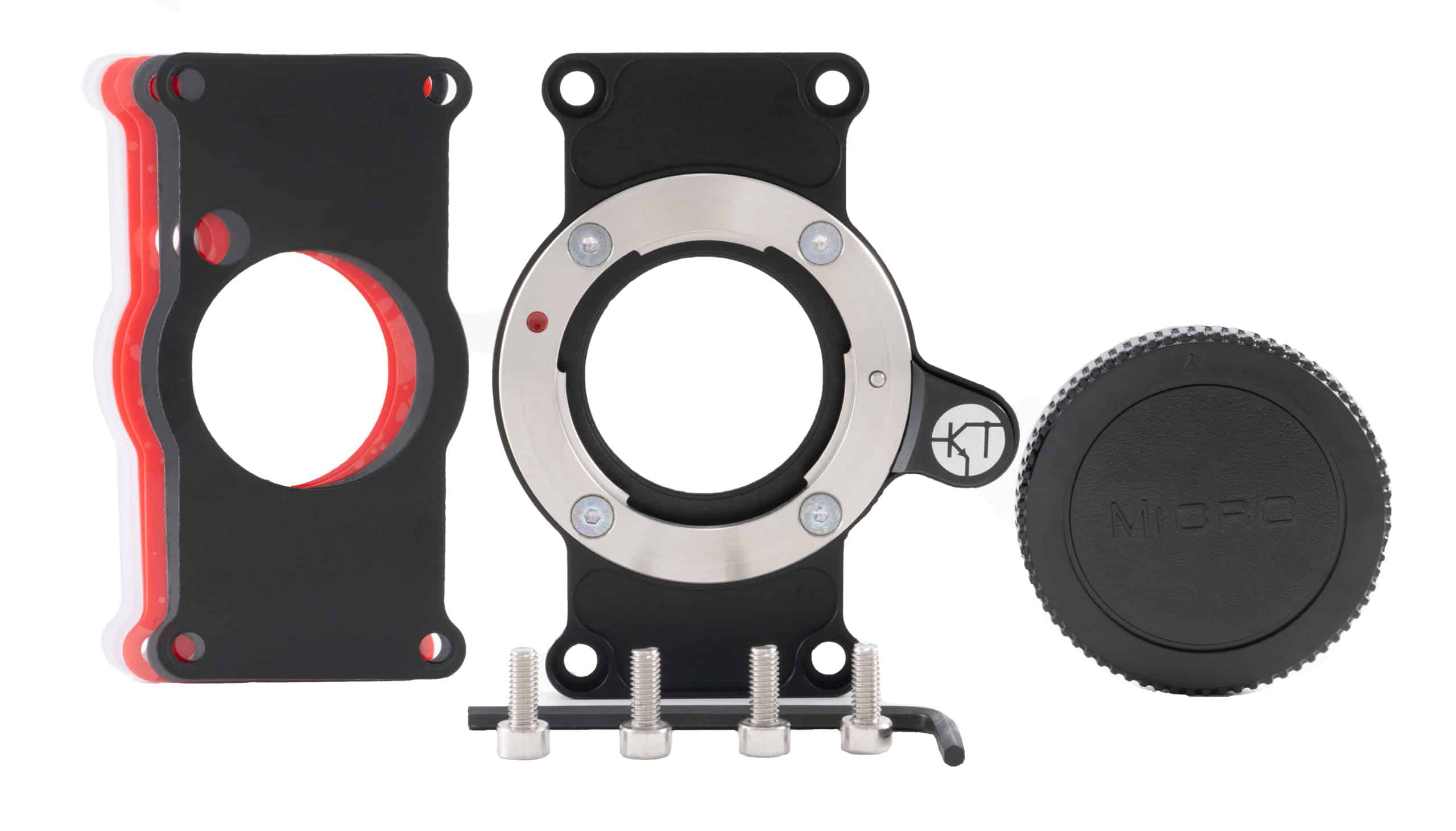

Kron-Technologies MFT (Micro Four Thirds) Mount (Chronos 1.4/2.1-HD)
- Precision CNC machined aircraft grade aluminum and stainless steel
- Anodized in black
- Back focus adjustable (with included shims)
- Passive mount (no lens control)
Designed exclusively to fit Kron Technologies Inc.'s line of Chronos cameras, the MFT mount allows the Chronos 1.4 and 2.1-HD high speed cameras to accept lenses with an MFT mount.
Constructed using the same aircraft grade aluminum and stainless steel as our cameras, each MFT mount is anodized in black and compatible with Kron Technologies Inc.'s Chronos 1.4 and Chronos 2.1-HD.
Precision CNC machining ensures accurate focusing at infinity with the option to adjust back focus with the included plastic back focus shims.
Each purchase of the MFT mount comes with a 90-day limited warranty.
The MFT mount from Kron Technologies Inc. is passive and does not contain any electronics.
Digital lens control is not possible, only manual lens control options are available.
- Precision CNC machined aircraft grade aluminum and stainless steel
- Anodized in black
- Back focus adjustable (with included shims)
- Passive mount (no lens control)
Designed exclusively to fit Kron Technologies Inc.'s line of Chronos cameras, the MFT mount allows the Chronos 1.4 and 2.1-HD high speed cameras to accept lenses with an MFT mount.
Constructed using the same aircraft grade aluminum and stainless steel as our cameras, each MFT mount is anodized in black and compatible with Kron Technologies Inc.'s Chronos 1.4 and Chronos 2.1-HD.
Precision CNC machining ensures accurate focusing at infinity with the option to adjust back focus with the included plastic back focus shims.
Each purchase of the MFT mount comes with a 90-day limited warranty.
The MFT mount from Kron Technologies Inc. is passive and does not contain any electronics.
Digital lens control is not possible, only manual lens control options are available.


